REVIEW · REYKJAVIK
Rent Unlimited High Speed pocket Wifi in Iceland
Book on Viator →Operated by Trawire - Rent WiFi Hotspot in Iceland · Bookable on Viator
Your connection in Iceland starts here.
Rent an unlimited high-speed pocket WiFi device at Keflavík Airport and keep your maps, messages, and plans working across the country. I like that it supports up to 10 devices at once without swapping your SIM, so your whole group can share the same hotspot instead of hunting for data plans.
The other big win is the convenience. You’re set up with a mobile ticket and you return the unit at the airport using pre-stamped drop boxes, which makes the end of your trip less stressful. One thing to watch: pickup can be confusing if staff at the counter focus only on what you show, so make sure you have the right voucher details before you arrive.
In This Review
- Key highlights at a glance
- Pocket WiFi in Iceland: what you gain with unlimited 4G
- Group value and who this setup fits best
- Reykjavik and beyond: how unlimited WiFi changes your day
- Keflavík airport pickup and return: the part to get right
- A common snag: voucher details and order codes
- Where the store confusion comes in
- What unlimited access feels like for your devices
- Local support: what you should expect if something goes wrong
- Price and value: $67 per group and why that can be a smart move
- Should you choose pocket WiFi over relying on WiFi?
- FAQ
- FAQ
- How many devices can I connect to the pocket WiFi?
- Is the internet unlimited?
- Do I need to change my SIM card?
- Where do I pick up and drop off the device?
- What are the return locations at the airport?
- What do I need to pack when returning the hotspot?
- What if I cancel?
- Final call: book it or skip it?
Key highlights at a glance
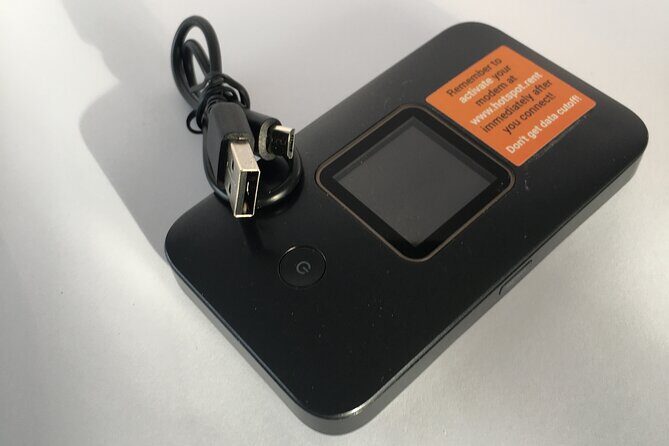
- Unlimited 4G hotspot for up to 10 devices: connect laptops and mobile phones without changing SIM cards.
- Flexible rental length (4 to 100 days): handy for short ring-road trips or longer stays.
- Keflavík Airport handoff with pre-stamped returns: drop the device in designated mailboxes after your trip.
- Local support nearby: help is part of the package when you run into issues.
- Registration details matter: the order code used for setup can be longer than you expect (10 digits).
- Clear documentation speeds things up: barcode-only proof may slow pickup if the counter staff isn’t familiar with that format.
Pocket WiFi in Iceland: what you gain with unlimited 4G
Iceland trips have a funny way of making your phone usage go way up. You’ll check weather, plan routes, message the group, and look up opening hours or directions on the fly. A pocket WiFi hotspot solves the problem that roaming can create: it keeps one connection going for everyone, instead of splitting attention across multiple data sources.
This service is built around unlimited 4G access through a portable mobile internet hotspot. The promise is simple: you can get online anywhere in Iceland without changing the SIM in your current mobile device. That matters because SIM changes can be a hassle on arrival day, and they also add one more step that can go wrong when you’re tired from travel.
The strongest advantage for me is the shared setup. If you’re traveling with friends or family, up to 10 laptops or mobile devices can connect to the hotspot. That means your group stays coordinated—especially helpful if you’re splitting off for a quick walk and then regrouping, or if one person is doing navigation while others search for a restaurant or ticket info.
There’s also a practical comfort factor: the device is designed as a ready-to-go hotspot. You’re not trying to find WiFi passwords that may be locked, slow, or unreliable when you’re out of town. In a place where driving distances can be long, stable connectivity becomes part of the trip rhythm.
You can also read our reviews of more tours and experiences in Reykjavik.



Group value and who this setup fits best
The price is listed as $67.00 per group (up to 10). On paper, that can be cheaper than each person trying to solve connectivity separately. Even if you don’t fill all 10 slots, you’re usually buying less “per person” than you would with multiple individual SIM-based options—especially when your whole group depends on phones during the day.
This is particularly good for:
- Families or friend groups where people want to share directions and plans
- Anyone who’s bringing more than one device (phone plus laptop, tablets, etc.)
- Road-trip styles where you’re often away from hotel WiFi
- People who don’t want the headache of managing multiple SIM cards
It’s also a nice match for people who don’t want to negotiate the usual travel trade-offs. Sometimes you can save money by going without data and relying on offline maps. But if your plans change, offline-only can turn into guesswork. A hotspot keeps your options open, from quick route checks to booking updates.
The rental length range is wide—4 to 100 days—so you’re not forced into a single “tourist week” plan. A shorter rental is great for a focused Iceland loop. A longer one helps if you’re staying in Reykjavik and day-tripping often, or if you’re working remotely while you explore.
One more reason to like the group model: it reduces stress. Instead of multiple people “dropping” connection at different moments, you keep the group on the same network.
Reykjavik and beyond: how unlimited WiFi changes your day
Because this is a pocket hotspot, your connectivity isn’t tied to a single building. That’s the heart of why people choose it. If you’re starting in Reykjavik and spending time around the city, you’ll still appreciate the simplicity of one shared WiFi signal rather than asking, re-asking, and re-logging into hotel or café networks.
Then there’s the travel reality: Iceland isn’t just Reykjavik. You may spend time driving the ring road, stopping for viewpoints, and adjusting plans when conditions shift. Having internet means you can:
- confirm directions and driving times
- check closures or weather updates while you’re on the move
- keep communication going with your group without hunting for WiFi
The service promises signal anywhere in Iceland with unlimited data. Real-world signal strength can vary by location in any country, but the intent is clear: you’re meant to stay connected whether you’re in the Reykjavik area or further out.
It’s also a big help for people doing trip logistics on their phone. If you’re the kind of person who books tours, checks timing, or updates plans in real time, this is the kind of setup that prevents small delays from becoming big problems.
In plain terms: this hotspot helps your trip feel less complicated. Instead of thinking about internet access, you think about what you want to do next.
Keflavík airport pickup and return: the part to get right
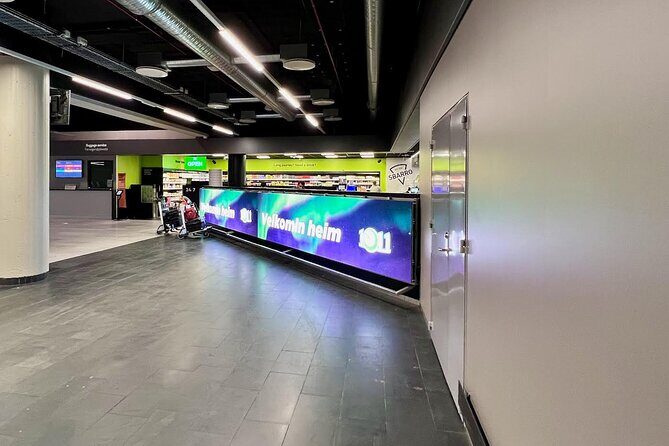
The start and end point is Keflavík International Airport. The address listed is 235 Keflavík, Iceland. That’s good for many travelers because it’s close to the place you’ll already be, and it keeps the handoff tied to arrival and departure.
Here’s what you should plan for based on how the process works:
- You receive a confirmation at booking time.
- You collect the device at the airport through a designated store/counter process tied to your voucher.
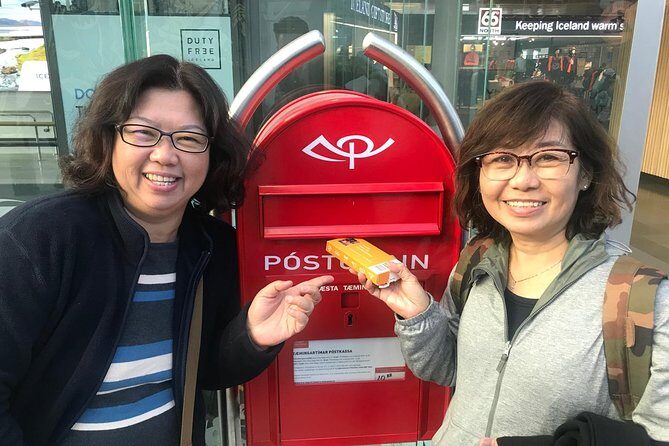
- When you’re done, you return it at the airport using pre-stamped mailboxes.
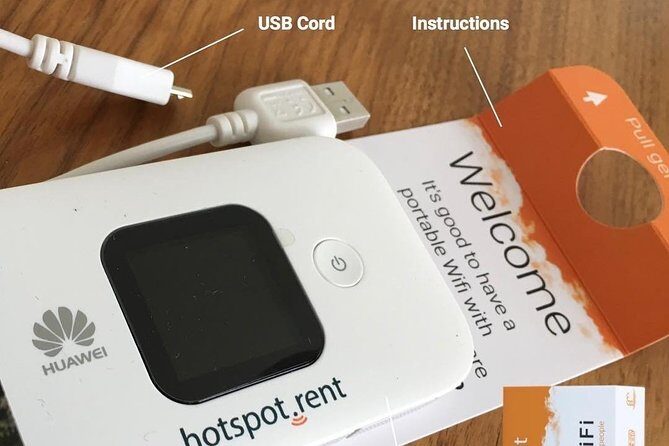
That last part is key because the return instructions are unusually specific (and that’s a good thing). You’ll want to pack the modem and USB cord in the same orange box it arrived in. Then deliver it to one of two mailboxes at the airport:
- One mailbox is in the Departure Hall
- The other is in the main food hall after security
Because the return is placed in mailboxes, you’re not waiting for a specific clerk at the last second. That can help if your flight time is tight or if you’re just trying to reduce airport stress.
A common snag: voucher details and order codes
The most consistent caution from real-life pickup stories is documentation mismatch. Some people arrive with an E-wallet style proof of purchase and a barcode, and the airport desk staff may not know what to do with that format. In at least one case, the situation improved once the person used the actual paperwork format the staff recognized at another nearby shop location.
Also, the unit registration step can trip people up if they assume the order code is short. One person found that registration asked for a 10-digit code, not a 4- or 5-digit one.
So, my practical advice is simple:
- Bring the voucher details exactly as provided in your booking confirmation.
- If there’s a registration code, use the full code shown for setup—don’t guess based on partial digits.
- If the first counter looks confused, ask what documentation format they need to complete the exchange, rather than trying multiple guess-and-check attempts.
This doesn’t mean the service is bad. It means the handoff relies on correct paperwork matching the counter process.






Where the store confusion comes in
Some pickup situations involve newly staffed counters. If the desk doesn’t handle the right voucher format, you can lose time. The fix is usually procedural: use the voucher info and contact details included in the documentation. Having those details ready helps you get moving faster, especially when you’re jet-lagged.
What unlimited access feels like for your devices

This hotspot is designed to connect multiple devices at once: up to 10 laptops or mobile devices. That’s a big deal because it changes how your group behaves. Instead of taking turns using phone data, you can all be online together.
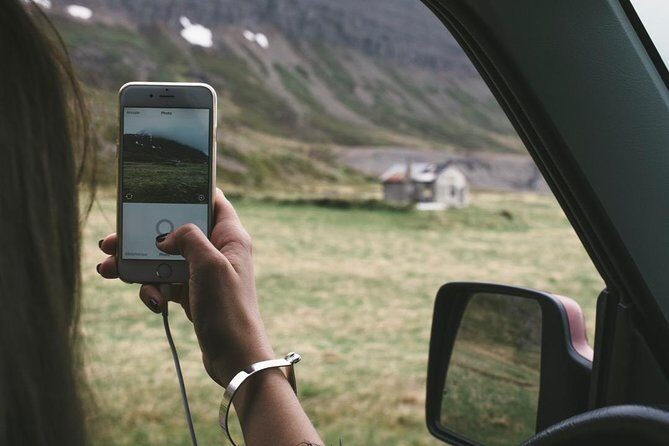
No SIM swap is another practical win. You connect without changing the SIM in your current phone. That removes a common travel headache, especially in the first hours after landing when you’re carrying luggage, juggling time zones, and trying to keep the whole group synchronized.
Fast speed is part of the promise, and many people give high marks for it. When the device works well, the hotspot becomes invisible in the best way: it just provides internet access while you live your trip.
Still, to protect your experience, you should treat the hotspot like the important piece of trip gear it is. Keep it secured, keep track of the box and USB cord for return, and follow the setup instructions so you aren’t troubleshooting in the first day when you want to be outside.
Local support: what you should expect if something goes wrong
The service includes local support—the idea is that help is nearby if you hit a problem. That’s one of the reasons a pocket hotspot can feel safer than DIY solutions.
And based on overall sentiment, support and convenience are strong points. The rating averages around 4.2 out of 5 across 15 entries, with many higher marks centered on ease of use, strong connectivity, and convenient pickup/return.
The key is that support works best when you show up with the correct voucher information. When pickup staff can’t match a proof-of-purchase format or can’t find the right device details quickly, you’ll want the paperwork and codes ready so support can be applied efficiently rather than repeatedly.
Price and value: $67 per group and why that can be a smart move
Let’s talk real value, not just the headline number.
At $67 per group (up to 10), the math is simple if you fill even a few slots. If you have a group of 6, you’re effectively under $12 per person for a shared hotspot. If you travel with 10 people, it drops to about $6.70 per person—often less than the cost of multiple individual data solutions.
Where it can be especially good value is when:
- your group includes people who all want data every day
- you’re away from WiFi often
- you want one shared setup to prevent constant reconnection issues
The other value angle is time. If every person tries to figure out their own data solution, you spend time at the airport and then again later if someone’s SIM setup fails. A shared pocket hotspot reduces decision fatigue and avoids repeated troubleshooting.
There’s one caution: the price is listed per group, but the duration range goes from 4 to 100 days. Since pricing scaling isn’t spelled out here, you should confirm the exact cost for your rental length during booking. That way, you’re comparing like for like.
Should you choose pocket WiFi over relying on WiFi?

If your travel style is “plan everything beforehand, download offline maps, and only check your phone occasionally,” you might get by without a hotspot.
But if you want flexibility—changing routes, checking live information, keeping your group coordinated—pocket WiFi usually pays for itself in reduced friction. Iceland rewards curiosity, and curiosity usually leads to last-minute decisions.
Also, if you’re traveling with more than one person who needs connectivity, shared pocket WiFi is typically the most straightforward option. One hotspot, one login flow, and everyone stays connected.
FAQ
FAQ
How many devices can I connect to the pocket WiFi?
Up to 10 laptops or mobile devices can connect.
Is the internet unlimited?
Yes, it’s advertised as unlimited high-speed internet using 4G.
Do I need to change my SIM card?
No. The setup is designed to work without changing the SIM card in your current mobile device.
Where do I pick up and drop off the device?
Start and end are at Keflavík International Airport (235 Keflavík, Iceland). For return, you put the device into one of two pre-stamped airport mailboxes.
What are the return locations at the airport?
One mailbox is in the Departure Hall, and the other is in the main food hall after security.
What do I need to pack when returning the hotspot?
Pack the modem and USB cord in the same orange box the modem came in.
What if I cancel?
This experience is non-refundable and cannot be changed for any reason.
Final call: book it or skip it?
I’d book this pocket WiFi rental if you’re traveling in a group and you want internet that works across Iceland without fighting for WiFi passwords. The up-to-10-device setup and unlimited 4G promise are exactly what make it practical for Reykjavik-and-beyond trips.
I’d be a little more cautious if you’re the type who hates last-minute admin at the airport. The main risk here isn’t the hotspot itself—it’s pickup confusion if your voucher details and registration code aren’t easy to match at the counter. If you prepare your documentation and use the full code shown for setup, this becomes a smooth, low-effort add-on to your Iceland trip.